Organize appraisal photos
Photographs are grouped in the corresponding case file from the moment they are captured.

Take photos on your phone. neuroPerit organizes them by client, reference and case file
and saves them in the right destination.
Less time managing files, more time for appraisals.
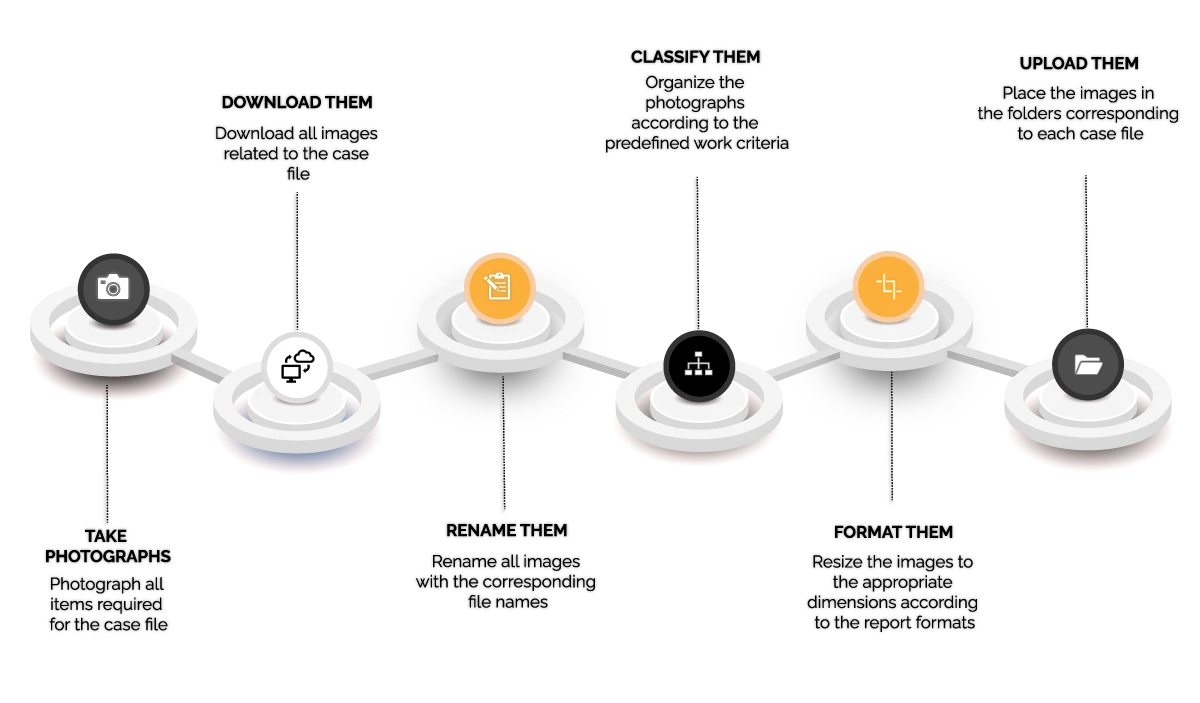

Do you spend valuable minutes every day repeating the same tasks?
neuroPerit does it for you automatically.
How it works
Select the client, identify the job and take the photos. neuroPerit links the images to the case file and saves them to the configured destination.
Core workflow
Select the company, organization or client involved.
Identify the job by address, number plate or another reference.
Take the required photographs from your phone.
Images are linked to the client, reference and case file.
They are saved to the configured folder or system.
Fictitious data used solely to explain the organization.
Photographs are grouped in the corresponding case file from the moment they are captured.
Use an address, number plate, claim number or another reference to locate images without mixing up jobs.
neuroPerit prepares the files for the configured destination, such as Drive, Dropbox or other compatible systems.
Everything you gain when you stop wasting time on files.
A summary of the problem, the change introduced and the result observed by the team in its daily work.
“With neuroPerit, we have greatly reduced the time we spent sorting appraisal photos. Now we work with more agility and less manual work.”
One workflow to capture, classify and locate every appraisal photo without manually renaming or moving files.
Organize photos from your phone and keep every file ready to review or share.
Standardize photo organization across multiple appraisers and improve case-file control.
Appraisal specialties
The reference changes, not the method: an address, number plate, claim number or any internal identifier can keep photographs linked to the right case file.
Document homes, commercial premises, building work or material damage and organize images by address, claim and case file.
Address · claim · case file
Keep photos of cars, motorcycles or fleets separate by using the number plate as the job reference.
Number plate · insurer · case file
Keep visual evidence of water, fire, impact or other damage within the corresponding case.
Client · claim · case
Organize inspections of machinery, equipment, facilities or other work requiring photographic traceability.
Asset · reference · case file
Support from Barcelona
Our team works from Barcelona and supports appraisers and appraisal firms throughout Spain. We understand the daily work involving photos, references, clients and case files.
Talk to the teamSupporting businesses, solving real management problems and turning technology into a useful tool from day one.
Frequently asked questions
Direct answers about specialties, organization, devices, storage, teams and onboarding.
It is designed for professionals and firms that document their work with photographs: property and home, vehicle, damage and claims, technical appraisals and other specialties.
The client and job reference are selected before capture. Images are linked to the relevant case file and saved to the configured destination.
The reference can be an address, number plate, claim number, asset, client or internal code, depending on the workflow defined for each type of appraisal.
They are sent to the configured destination, such as Drive, Dropbox or another compatible system. The exact integration and folder structure are confirmed during onboarding.
Yes. The workflow is designed to capture photographs from a mobile device during the visit. Compatibility and device requirements are reviewed in the demo.
Yes. Current plans cover teams of up to 2, 5 or 10 appraisers. The Neurora team will review other requirements individually.
We first review the workflow, references and photo destination. We then propose a configuration and demo adapted to the team's way of working.
Permissions, storage destination and data processing are reviewed during configuration. You can also read our Privacy Policy.
Tell us about your situation and we will analyze where you can gain efficiency, reduce errors and improve operational control.